mirror of
https://github.com/sern-handler/cli
synced 2026-06-16 21:02:27 +00:00

60 lines
1.4 KiB
Markdown
60 lines
1.4 KiB
Markdown
# Sern CLI
|
|
|
|
[](https://github.com/sern-handler/cli)
|
|
[](https://github.com/sern-handler/cli)
|
|
[](https://npmjs.com/@sern/cli)
|
|
|
|
Our CLI allows you to setup and manage Discord bot projects without writing a single line of code!
|
|
|
|
😁 **User Friendly** <br>
|
|
🔥 **Fast** <br>
|
|
💦 **Simple** <br>
|
|
🌱 **Efficient** <br>
|
|
💪 **Powerful** <br>
|
|
|
|
## License
|
|
|
|
[](https://github.com/sern-handler/cli)
|
|
|
|
## Installation
|
|
|
|
```sh
|
|
npm install -g @sern/cli@latest
|
|
```
|
|
|
|
```sh
|
|
yarn add -g @sern/cli@latest
|
|
```
|
|
|
|
```sh
|
|
pnpm add -g @sern/cli@latest
|
|
```
|
|
|
|
## Getting Started
|
|
|
|
When you install the CLI, you can use our commands with **sern** prefix.
|
|
|
|
`sern <command> (opt)<flag>`
|
|
|
|
## Setting Up Your Project
|
|
|
|
To create a new project, you can simply run the following command:
|
|
|
|
```sh
|
|
sern init
|
|
```
|
|
|
|
The `init` command will ask you some questions and at the end it will generate a new project.
|
|
|
|
## Help
|
|
|
|
If you need help, you can always run the following command:
|
|
|
|
```sh
|
|
sern help
|
|
```
|
|
|
|
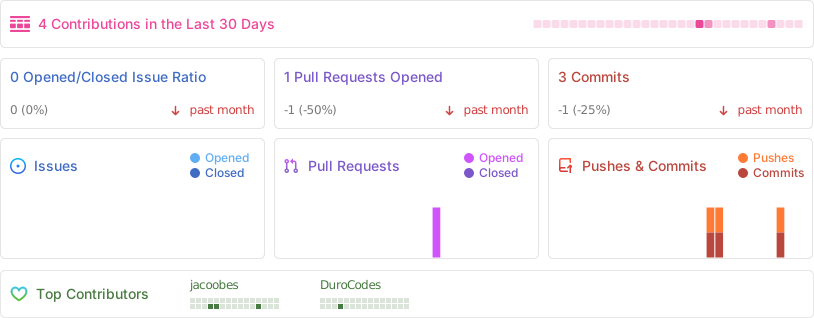
## Stats
|
|
|
|
|